Wallet Connection
Connect Solana wallets using Wallet Standard
Wallet Connection
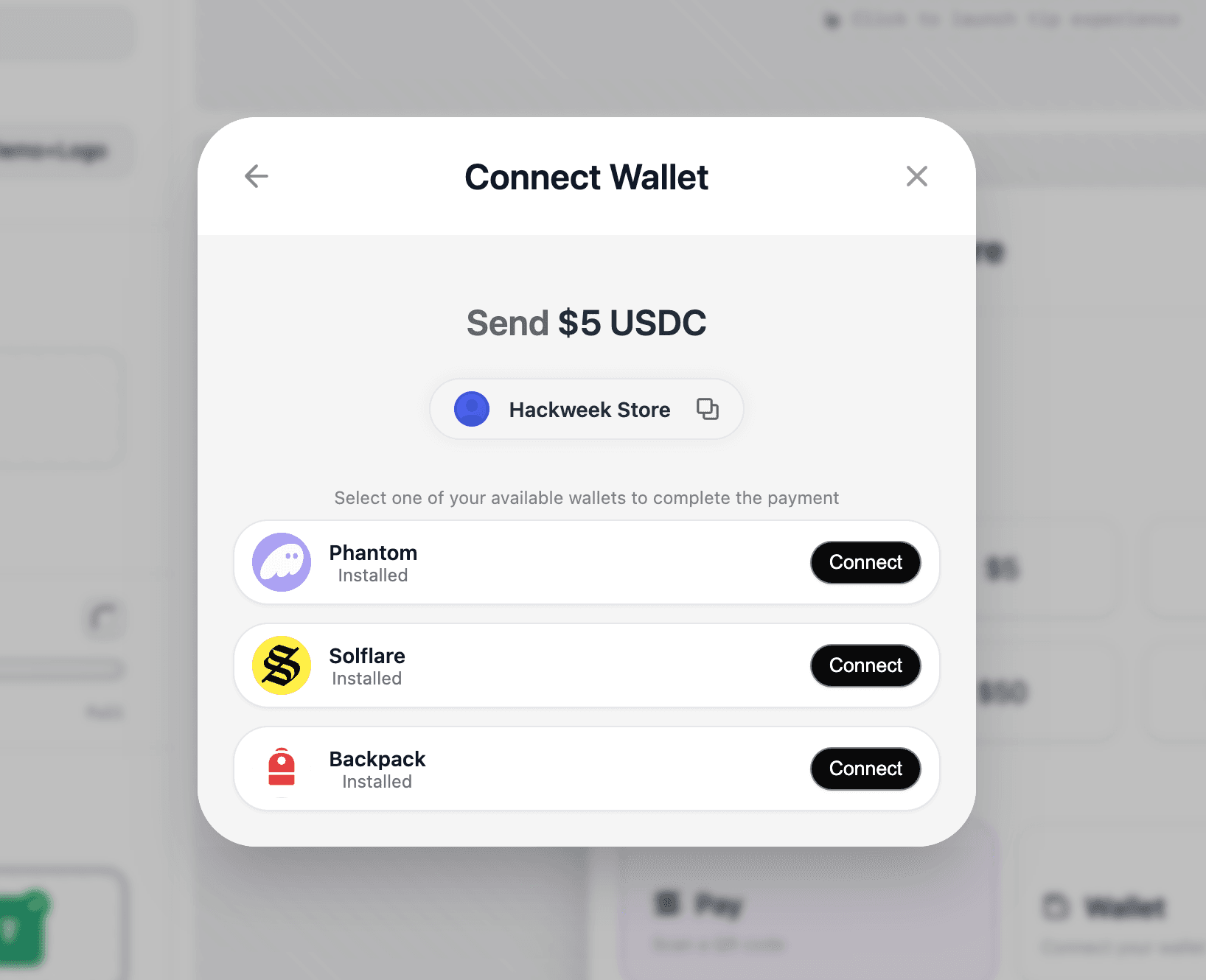
The @solana-commerce/connector package provides headless wallet connection built on the Wallet Standard. It manages wallet discovery, connection state, account management, and automatic reconnection. The package is designed to be framework-agnostic with React bindings included. It is tailored for seamless use in Solana Commerce Kit and is compatible with @solana/kit and [gill](https://gill. site).
Installation
pnpm add @solana-commerce/connectorProvider Configuration
ConnectorProvider
The ConnectorProvider component wraps your application and provides wallet connection state to all child components. It manages a singleton ConnectorClient instance that persists across component mount/unmount cycles.
Props
All configuration is passed via the config prop:
config(ConnectorConfig, optional) - Configuration object for the connector. All fields are optional.
ConnectorConfig
Configuration object for wallet connection behavior.
Optional Fields
-
autoConnect(boolean) - Whentrue, automatically reconnects to the last used wallet on mount. The wallet preference is stored in the configured storage (defaults tolocalStorage). Default:false. -
debug(boolean) - Enables verbose console logging for debugging connection flows, account changes, and errors. Logs include prefixes like[Connector]and[ConnectorProvider]. Default:false. -
accountPollingIntervalMs(number) - Polling interval in milliseconds for checking account changes when the wallet doesn't support thestandard:eventsfeature. Most modern wallets support events, so polling is a fallback. Default:1500(1.5 seconds). -
storage(Storage) - Custom storage adapter for persisting wallet preferences. Must implement:getItem(key: string): string | nullsetItem(key: string, value: string): voidremoveItem(key: string): void
Default:
window.localStoragewhen available (browser only). Use this for React Native (AsyncStorage) or custom SSR-safe storage.
Provider Architecture
The provider uses a singleton pattern with reference counting:
- Multiple
ConnectorProviderinstances share the sameConnectorClient - The client is created on first mount and persists across unmounts
- When all providers unmount, cleanup is delayed by 5 seconds to handle rapid remounts
- During cleanup, the wallet is disconnected and all event listeners are removed
This design prevents wallet disconnection during route changes or component updates.
Hooks
useConnector()
The primary hook for accessing wallet connection state and actions. Must be used within a ConnectorProvider.
Returns a ConnectorSnapshot object containing:
State Properties
-
wallets(WalletInfo[]) - Array of all discovered Wallet Standard compatible wallets. Updated automatically when wallets are installed or uninstalled. Each wallet includes metadata like name, icon, and capabilities. See WalletInfo. -
selectedWallet(Wallet | null) - The currently connected Wallet Standard wallet object.nullwhen disconnected. This is the raw wallet instance from the Wallet Standard API. -
connected(boolean) - Connection status.truewhen a wallet is connected and accounts are available. Use this for conditional UI rendering. -
connecting(boolean) - Loading state during wallet connection.truebetween callingselect()and receiving the connection result. Use this to show loading indicators or disable buttons. -
accounts(AccountInfo[]) - Array of accounts from the connected wallet. Most wallets provide one account, but some support multiple. Updated automatically via wallet events or polling. See AccountInfo. -
selectedAccount(string | null) - The address of the currently selected account (base58-encoded public key). When a wallet connects with a new account, that account is automatically selected. Otherwise, the previously selected account is preserved.
Action Methods
-
select((walletName: string) => Promise<void>) - Connects to a wallet by name (e.g.,"Phantom","Solflare"). The wallet name must match a discovered wallet'snamefield exactly.Process:
- Sets
connecting: true - Calls the wallet's
standard:connectfeature - Retrieves accounts from the wallet
- Subscribes to wallet events (or starts polling if events are unavailable)
- Stores the wallet preference in configured storage
- Updates state with accounts and selected account
Throws: Error if wallet not found, wallet doesn't support connect, or connection rejected by user.
- Sets
-
disconnect(() => Promise<void>) - Disconnects the current wallet and cleans up all state.Process:
- Unsubscribes from wallet events
- Stops account polling
- Calls wallet's
standard:disconnectfeature if available - Clears selected wallet, accounts, and selected account
- Removes wallet preference from storage
Never throws (errors are logged if debug enabled).
-
selectAccount((address: string) => Promise<void>) - Switches the selected account to a different address from the connected wallet. If the address isn't in the current accounts array, triggers a reconnect to fetch updated accounts.Throws: Error if no wallet connected or requested account not found after reconnection.
useConnectorClient()
Provides direct access to the underlying ConnectorClient instance for advanced use cases.
Returns: ConnectorClient | null - The singleton client instance, or null when used outside ConnectorProvider.
Use cases:
- Direct access to
getConnectorState()for imperative state reads - Manual subscription with
subscribe(listener)for custom state listeners - Calling
destroy()for forced cleanup (not recommended in normal usage)
Example:
const client = useConnectorClient();

// Get current state without triggering re-render
const state = client?.getConnectorState();

// Subscribe to state changes manually
useEffect(() => {
  if (!client) return;
  const unsubscribe = client.subscribe((state) => {
    console.log('Wallet state changed:', state);
  });
  return unsubscribe;
}, [client]);
Type Definitions
WalletInfo
Metadata about a discovered wallet.
interface WalletInfo {
  wallet: Wallet;           // Raw Wallet Standard wallet object
  name: string;             // Display name (e.g., "Phantom", "Solflare")
  icon?: string;            // Data URL for wallet icon (base64 encoded)
  installed: boolean;       // Always true (only installed wallets are discovered)
  connectable?: boolean;    // Whether wallet supports required features
}
connectable Requirements:
A wallet is connectable when it supports:
standard:connectfeaturestandard:disconnectfeature- Solana chains (detected via
wallet.chainscontaining"solana")
Non-connectable wallets appear in the wallets array but can't be selected.
AccountInfo
Information about a wallet account.
interface AccountInfo {
  address: string;          // Base58-encoded public key
  icon?: string;            // Account-specific icon (data URL)
  raw: WalletAccount;       // Raw WalletAccount object from Wallet Standard
}
The raw field provides access to additional account properties:
address: string- Base58-encoded public keypublicKey: Uint8Array- Raw public key byteslabel?: string- Account label (if wallet provides it)icon?: string- Account-specific icon (data URL)chains: string[]- Supported chains for this accountfeatures: string[]- Supported features for this account
ConnectorSnapshot
The return type of useConnector(), combining state and actions.
type ConnectorSnapshot = ConnectorState & {
  select: (walletName: string) => Promise<void>;
  disconnect: () => Promise<void>;
  selectAccount: (address: string) => Promise<void>;
};

interface ConnectorState {
  wallets: WalletInfo[];
  selectedWallet: Wallet | null;
  connected: boolean;
  connecting: boolean;
  accounts: AccountInfo[];
  selectedAccount: string | null;
}
Account Change Detection
The connector automatically detects when wallet accounts change (user adds/removes accounts, switches accounts in the wallet). Two strategies are used:
Event-Based (Preferred)
When the wallet supports standard:events, the connector subscribes to change events:
- Receives real-time notifications when accounts change
- More efficient (no polling)
- Aggregates accounts from both the event and
wallet.accountsto handle wallets that only include selected account in events
Polling Fallback
When events aren't supported, the connector polls wallet.accounts:
- Checks every
accountPollingIntervalMs(default: 1500ms) - Compares account addresses to detect changes
- Only triggers re-render when accounts actually change
Account Selection Logic:
- When accounts change, preserve the selected account if it still exists
- If selected account was removed, select the first available account
- When connecting with a new account (not in previous accounts), prefer the new account
Storage & Auto-Connect
Storage Persistence
The connector stores one key in the configured storage:
- Key:
arc-connector:lastWallet - Value: Wallet name (e.g.,
"Phantom")
Storage operations are wrapped in try-catch to handle:
- Sandboxed iframes where
localStoragethrows - SSR environments where
windowis undefined - React Native where
localStoragedoesn't exist
If storage fails, the connector continues without persistence (no errors thrown).
Auto-Connect Behavior
When autoConnect: true:
- On mount, reads last wallet name from storage
- Waits 100ms (allows wallets to register)
- Calls
select(walletName)if wallet is discovered - If auto-connect fails, removes the invalid preference from storage
Security Note: The stored preference is just a wallet name (string), not sensitive data. The wallet handles authentication/authorization through its own UI.
Usage Examples
Basic Wallet Button
import { ConnectorProvider, useConnector } from '@solana-commerce/connector';

function App() {
  return (
    <ConnectorProvider config={{ autoConnect: true }}>
      <WalletButton />
    </ConnectorProvider>
  );
}

function WalletButton() {
  const { wallets, select, disconnect, connected, accounts, connecting } = useConnector();

  if (!connected) {
    return (
      <div>
        <h3>Connect Wallet</h3>
        {wallets.map(wallet => (
          <button
            key={wallet.name}
            onClick={() => select(wallet.name)}
            disabled={!wallet.connectable || connecting}
          >
            {wallet.icon && <img src={wallet.icon} alt={wallet.name} width={24} />}
            {wallet.name}
            {!wallet.connectable && ' (Unsupported)'}
          </button>
        ))}
      </div>
    );
  }

  return (
    <div>
      <p>Connected: {accounts[0]?.address.slice(0, 8)}...</p>
      <button onClick={disconnect}>Disconnect</button>
    </div>
  );
}
Multi-Account Selector
function AccountSelector() {
  const { accounts, selectedAccount, selectAccount } = useConnector();

  if (accounts.length <= 1) return null;

  return (
    <select
      value={selectedAccount || ''}
      onChange={(e) => selectAccount(e.target.value)}
    >
      {accounts.map(account => (
        <option key={account.address} value={account.address}>
          {account.raw.label || `${account.address.slice(0, 8)}...`}
        </option>
      ))}
    </select>
  );
}
Connection Monitoring
function ConnectionMonitor() {
  const { connected, selectedWallet, accounts } = useConnector();

  useEffect(() => {
    if (connected) {
      console.log('Wallet connected:', selectedWallet?.name);
      console.log('Accounts:', accounts.map(a => a.address));
    }
  }, [connected, selectedWallet, accounts]);

  return null;
}
Supported Wallets
The connector supports all wallets that implement the Wallet Standard, including:
- Phantom
- Solflare
- Backpack
- Glow
- Brave Wallet
- Coinbase Wallet
- Any other Wallet Standard compatible wallet
Wallets are automatically discovered when they register with the Wallet Standard API (no configuration needed).
Headless Usage (No React)
For non-React applications or server-side usage, use ConnectorClient directly:
import { ConnectorClient } from '@solana-commerce/connector';

const connector = new ConnectorClient({
  autoConnect: true,
  debug: true
});

// Get current state
const state = connector.getConnectorState();
console.log('Available wallets:', state.wallets);

// Connect to a wallet
await connector.select('Phantom');

// Subscribe to state changes
const unsubscribe = connector.subscribe((state) => {
  console.log('Connected:', state.connected);
  console.log('Accounts:', state.accounts);
});

// Switch account
await connector.selectAccount('account-address-here');

// Disconnect
await connector.disconnect();

// Cleanup (removes all listeners and timers)
connector.destroy();
Note: ConnectorClient manages its own state and never triggers React re-renders. You must manually subscribe to state changes.